Author
James Little/Mass Spec Interpretation Services
My main interest is the identification of organic compounds by mass spectrometry in organic mixtures.
Tags
Article
Academy
Software
Video
LinkedIn Logo

Configuring and Navigating Chromatogram Window NIST26
Tu, 26.5.2026
| Original article from: Mass Spec Interpretation Services/James Little
Learn how to configure, customize, and navigate the new NIST 26 Chromatogram Window. This practical guide covers layouts, zooming, filtering, structure display, and efficient data review workflows.
Video placeholder
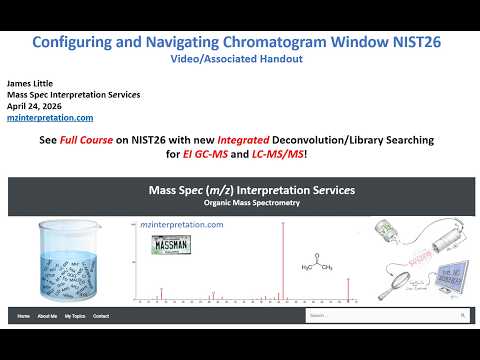
  • Photo: James Little: Configuring and Navigating Chromatogram Window NIST26
  • Video: James Little: Configuring and Navigating Chromatogram Window NIST26

This guide explains how to configure, customize, and efficiently navigate the new Chromatogram Window introduced in NIST MS Search 4.0 (NIST 26). The chromatogram interface integrates deconvolution results and library searching into a single workflow for both EI GC-MS and LC-MS/MS datasets.

Download Handout in PDF HERE

Introduction

The Chromatogram Window is one of the major additions in NIST 26. It provides a centralized environment for reviewing chromatographic peaks, examining spectral matches, comparing unknowns against library hits, and filtering results.

The interface follows standard Windows conventions, making it familiar to most users while offering extensive customization options. The same concepts apply whether working with EI GC-MS or LC-MS/MS data.

Step 1 – Access Available Help Resources

Before customizing the interface, become familiar with the built-in documentation.

Available Help Options
  • Press F1 in any active window
  • Click the Help button available in many dialog boxes
  • Open Help Topics from the menu bar
  • Browse:
    • Contents
    • Index
    • Keyword Search
    • “What's New”
    • GC/MS Tips
    • Tandem MS Tips
Context-Sensitive Help

The information displayed depends on what is currently open:

  • No data loaded → General chromatogram help
  • EI GC-MS file loaded → EI-specific guidance
  • MS/MS file loaded → MS/MS-specific guidance

This context-sensitive help is one of the fastest ways to learn individual functions directly inside the software.

Step 2 – Open and Configure Chromatogram Properties

Most customization begins through the Properties menu.

Opening Properties
  1. Right-click within the chromatogram area or result table
  2. Select Properties
  3. Review available display and processing options

James Little recommends enabling:

  • Include Advanced Results

This exposes additional result columns and processing information useful during compound identification.

Using Property Definitions

If any option is unclear:

  • Press F1
  • Click Help

Detailed explanations are provided for all settings.

Step 3 – Customize the Workspace Layout

NIST 26 allows extensive workspace customization.

Move Columns

To reposition columns:

  1. Left-click a column header
  2. Drag it to the desired location

This allows users to prioritize the information most important to their workflow.

Resize Columns

To change column width:

  1. Move the cursor to a column edge
  2. Wait for the double-arrow cursor
  3. Click and drag

This is particularly useful when displaying long compound names or additional metadata.

Resize Windows

Any panel can be enlarged or reduced:

  1. Hover over a window border
  2. Wait for the double-arrow cursor
  3. Click and drag

Users can create layouts optimized for chromatograms, spectra, structures, or result tables.

Step 4 – Save Custom Configurations

After creating a preferred workspace:

  1. Open File
  2. Select Save Configuration
  3. Enter a configuration name

Saved configurations can later be reloaded without rebuilding the workspace.

Recommended examples:

  • GC-MS review layout
  • LC-MS/MS screening layout
  • Library search layout
  • Quantitation review layout

Multiple configurations can be maintained for different workflows. This greatly improves efficiency during routine work.

Step 5 – Sort and Organize Results

Result tables can be sorted by any displayed property.

Sorting Data

Click a column heading:

  • First click → descending order
  • Second click → ascending order

Useful sorting criteria include:

  • Retention time
  • Match score
  • Abundance
  • Precursor m/z
  • Scan number

Sorting by retention time often provides the most intuitive left-to-right chromatographic review.

Step 6 – Improve Visualization with Log Scaling

Complex chromatograms often contain a few dominant peaks and many low-abundance components.

Switch to Logarithmic Display
  1. Right-click the chromatogram
  2. Open Properties
  3. Select Chromatogram View
  4. Change abundance axis from:
    • Linear
    • to Logarithmic

Benefits:

  • Improved visualization of minor peaks
  • Better differentiation of baseline-level compounds
  • Easier selection of low-abundance components

This is especially useful when reviewing highly complex deconvolution results.

Step 7 – Zoom into Areas of Interest

Zooming allows detailed examination of chromatographic regions.

Zoom Procedure
  1. Left-click and drag across the desired region
  2. Release the mouse button

The display expands to the selected area and the result list updates accordingly.

Undo Zoom

Three methods are available:

  • Method 1: Right-click → Undo Zoom
  • Method 2: Double left-click inside the window
  • Method 3: Repeat the double-click if multiple zoom levels exist

Most windows support both approaches. Some spectral windows require double-clicking to restore the original view.

Step 8 – Display Chemical Structures

NIST 26 offers several methods for visualizing structures.

Structure on Plot
  1. Right-click the spectrum comparison window
  2. Open Properties
  3. Enable Add Structure on Plot

The chemical structure will appear directly within the butterfly spectrum display.

Floating Structure Window

Alternatively:

  1. Select:
    • View
    • Show Structure

A separate movable structure window appears.

Advantages:

  • Flexible placement
  • Useful on multi-monitor systems
  • Can remain visible while reviewing results

James Little notes that he personally prefers the embedded structure display because it allows faster review of multiple compounds.

Step 9 – Review Library Matches Using the Butterfly Plot

The butterfly (head-to-tail) display is one of the most powerful review tools.

How It Works

When a chromatographic peak is selected:

  • Upper spectrum:
    • Experimental spectrum
  • Lower spectrum:
    • Best library match

This allows direct visual comparison between unknown and reference spectra.

Recommended Display

James Little recommends:

Head-to-Tail (Butterfly Plot)

because it provides the clearest visual comparison between spectra.

Step 10 – Navigate Through Results Efficiently

After selecting a result:

  1. Click the first entry in the table
  2. Use keyboard arrow keys

Each keystroke updates:

  • Chromatogram selection
  • Spectrum comparison
  • Structure display
  • Library match information

This enables rapid sequential review of all identified compounds.

Step 11 – Filter Results to Show Only Important Components

Large datasets often contain hundreds of identified components.

Select Continuous Ranges
  1. Click the first entry
  2. Hold Shift
  3. Click the last entry

All entries between them become selected.

Select Individual Entries
  1. Hold Ctrl
  2. Click desired rows individually

Useful for selecting non-adjacent compounds.

Show Only Selected Results

After selection:

  1. Right-click
  2. Choose Show Selected

Only chosen entries remain visible.

To restore all results:

  1. Right-click
  2. Select Show All

This is an effective way to focus on major components or compounds above a chosen abundance threshold.

Practical Workflow Recommended by James Little

For routine data review:

  1. Load chromatographic results
  2. Enable Advanced Results
  3. Display structures on the butterfly plot
  4. Sort by retention time
  5. Use logarithmic abundance scaling if needed
  6. Filter out low-priority components
  7. Step through compounds using keyboard arrows
  8. Review unknown versus library spectra in head-to-tail mode
  9. Confirm structures visually
  10. Save the optimized workspace configuration for future sessions

Conclusion

The NIST 26 Chromatogram Window provides a highly configurable environment for reviewing deconvoluted chromatographic results and library identifications. By combining chromatograms, spectra, structures, and library matches into a single workspace, the software significantly streamlines compound identification workflows for both EI GC-MS and LC-MS/MS analyses. Features such as customizable layouts, logarithmic visualization, advanced filtering, integrated structure display, and butterfly spectrum comparison help users review complex datasets more efficiently and with greater confidence.

Next week, you can look forward to the topic: Processing of EI GC-MS Data in Chromatogram Window NIST26

James Little/Mass Spec Interpretation Services
LinkedIn Logo
 

Related content

Xevo MRT P10 Mass Spectrometer

Brochures and specifications
| 2026 | Waters
Instrumentation
LC/MS, LC/MS/MS, LC/TOF, LC/HRMS
Manufacturer
Waters
Industries
Metabolomics, Proteomics , Lipidomics

Large-Volume Dilute-and-Shoot Analysis of PFAS in Drinking Water Using the Altura PFAS Column

Applications
| 2026 | Agilent Technologies
Instrumentation
Consumables, LC columns, LC/MS, LC/MS/MS, LC/QQQ
Manufacturer
Agilent Technologies
Industries
Environmental

Hey, ho, oliGO – Comparison of ion-pairing systems for oligonucleotide analysis with HPLC-UV

Applications
| 2026 | KNAUER
Instrumentation
Consumables, LC columns, HPLC
Manufacturer
KNAUER
Industries
Pharma & Biopharma

Suppressed Cation Analysis of Wastewater Using Ion Chromatograph Nexera IC, Conforming to ASTM D6919-17

Applications
| 2026 | Shimadzu
Instrumentation
Ion chromatography
Manufacturer
Shimadzu
Industries
Environmental, Food & Agriculture

Comprehensive and Robust Analysis of Ultrashort- to Long-Chain PFAS, PAE, OPE, and PAH

Applications
| 2026 | Agilent Technologies
Instrumentation
LC/MS, LC/MS/MS, LC/TOF, LC/HRMS
Manufacturer
Agilent Technologies, Plasmion
Industries
Environmental
 

Related articles

 Data Processing for NIST MSMS Search Using Thermo Freestyle Software (My Favorite Approach)
Article | Video

Data Processing for NIST MSMS Search Using Thermo Freestyle Software (My Favorite Approach)

This part discusses my favorite approach for processing Orbitrap LCMS/LCMSMS data for identificaiton of unknowns using the NIST2023 search and associated libraries.
James Little/Mass Spec Interpretation Services
tag
share
more
Data Processing Using Thermo Freestyle Software with NIST MSMS Search for Compound Identifications (“Nearby Precursors” Enhancement)
Article | Video

Data Processing Using Thermo Freestyle Software with NIST MSMS Search for Compound Identifications (“Nearby Precursors” Enhancement)

Part 1A discusses the using the "Nearby Precursor" to easily display a MSMS spectrum associated with an ion in MS.
James Little/Mass Spec Interpretation Services
tag
share
more
How to print a report from Sequence in Clarity software
Article | Product

How to print a report from Sequence in Clarity software

Learn how to configure Clarity Chromatography Software to automatically generate and print PDF reports after measurements using post-run settings.
DataApex
tag
share
more
Navigating and Zooming Chromatograms in Clarity Chromatography Software
Article | Video

Navigating and Zooming Chromatograms in Clarity Chromatography Software

Learn how to efficiently zoom, navigate, and stay oriented in Clarity Chromatography Software using mouse tools, keyboard shortcuts, and the Preview Graph for precise data inspection.
DataApex
tag
share
more
 

Related content

Xevo MRT P10 Mass Spectrometer

Brochures and specifications
| 2026 | Waters
Instrumentation
LC/MS, LC/MS/MS, LC/TOF, LC/HRMS
Manufacturer
Waters
Industries
Metabolomics, Proteomics , Lipidomics

Large-Volume Dilute-and-Shoot Analysis of PFAS in Drinking Water Using the Altura PFAS Column

Applications
| 2026 | Agilent Technologies
Instrumentation
Consumables, LC columns, LC/MS, LC/MS/MS, LC/QQQ
Manufacturer
Agilent Technologies
Industries
Environmental

Hey, ho, oliGO – Comparison of ion-pairing systems for oligonucleotide analysis with HPLC-UV

Applications
| 2026 | KNAUER
Instrumentation
Consumables, LC columns, HPLC
Manufacturer
KNAUER
Industries
Pharma & Biopharma

Suppressed Cation Analysis of Wastewater Using Ion Chromatograph Nexera IC, Conforming to ASTM D6919-17

Applications
| 2026 | Shimadzu
Instrumentation
Ion chromatography
Manufacturer
Shimadzu
Industries
Environmental, Food & Agriculture

Comprehensive and Robust Analysis of Ultrashort- to Long-Chain PFAS, PAE, OPE, and PAH

Applications
| 2026 | Agilent Technologies
Instrumentation
LC/MS, LC/MS/MS, LC/TOF, LC/HRMS
Manufacturer
Agilent Technologies, Plasmion
Industries
Environmental
 

Related articles

 Data Processing for NIST MSMS Search Using Thermo Freestyle Software (My Favorite Approach)
Article | Video

Data Processing for NIST MSMS Search Using Thermo Freestyle Software (My Favorite Approach)

This part discusses my favorite approach for processing Orbitrap LCMS/LCMSMS data for identificaiton of unknowns using the NIST2023 search and associated libraries.
James Little/Mass Spec Interpretation Services
tag
share
more
Data Processing Using Thermo Freestyle Software with NIST MSMS Search for Compound Identifications (“Nearby Precursors” Enhancement)
Article | Video

Data Processing Using Thermo Freestyle Software with NIST MSMS Search for Compound Identifications (“Nearby Precursors” Enhancement)

Part 1A discusses the using the "Nearby Precursor" to easily display a MSMS spectrum associated with an ion in MS.
James Little/Mass Spec Interpretation Services
tag
share
more
How to print a report from Sequence in Clarity software
Article | Product

How to print a report from Sequence in Clarity software

Learn how to configure Clarity Chromatography Software to automatically generate and print PDF reports after measurements using post-run settings.
DataApex
tag
share
more
Navigating and Zooming Chromatograms in Clarity Chromatography Software
Article | Video

Navigating and Zooming Chromatograms in Clarity Chromatography Software

Learn how to efficiently zoom, navigate, and stay oriented in Clarity Chromatography Software using mouse tools, keyboard shortcuts, and the Preview Graph for precise data inspection.
DataApex
tag
share
more
 

Related content

Xevo MRT P10 Mass Spectrometer

Brochures and specifications
| 2026 | Waters
Instrumentation
LC/MS, LC/MS/MS, LC/TOF, LC/HRMS
Manufacturer
Waters
Industries
Metabolomics, Proteomics , Lipidomics

Large-Volume Dilute-and-Shoot Analysis of PFAS in Drinking Water Using the Altura PFAS Column

Applications
| 2026 | Agilent Technologies
Instrumentation
Consumables, LC columns, LC/MS, LC/MS/MS, LC/QQQ
Manufacturer
Agilent Technologies
Industries
Environmental

Hey, ho, oliGO – Comparison of ion-pairing systems for oligonucleotide analysis with HPLC-UV

Applications
| 2026 | KNAUER
Instrumentation
Consumables, LC columns, HPLC
Manufacturer
KNAUER
Industries
Pharma & Biopharma

Suppressed Cation Analysis of Wastewater Using Ion Chromatograph Nexera IC, Conforming to ASTM D6919-17

Applications
| 2026 | Shimadzu
Instrumentation
Ion chromatography
Manufacturer
Shimadzu
Industries
Environmental, Food & Agriculture

Comprehensive and Robust Analysis of Ultrashort- to Long-Chain PFAS, PAE, OPE, and PAH

Applications
| 2026 | Agilent Technologies
Instrumentation
LC/MS, LC/MS/MS, LC/TOF, LC/HRMS
Manufacturer
Agilent Technologies, Plasmion
Industries
Environmental
 

Related articles

 Data Processing for NIST MSMS Search Using Thermo Freestyle Software (My Favorite Approach)
Article | Video

Data Processing for NIST MSMS Search Using Thermo Freestyle Software (My Favorite Approach)

This part discusses my favorite approach for processing Orbitrap LCMS/LCMSMS data for identificaiton of unknowns using the NIST2023 search and associated libraries.
James Little/Mass Spec Interpretation Services
tag
share
more
Data Processing Using Thermo Freestyle Software with NIST MSMS Search for Compound Identifications (“Nearby Precursors” Enhancement)
Article | Video

Data Processing Using Thermo Freestyle Software with NIST MSMS Search for Compound Identifications (“Nearby Precursors” Enhancement)

Part 1A discusses the using the "Nearby Precursor" to easily display a MSMS spectrum associated with an ion in MS.
James Little/Mass Spec Interpretation Services
tag
share
more
How to print a report from Sequence in Clarity software
Article | Product

How to print a report from Sequence in Clarity software

Learn how to configure Clarity Chromatography Software to automatically generate and print PDF reports after measurements using post-run settings.
DataApex
tag
share
more
Navigating and Zooming Chromatograms in Clarity Chromatography Software
Article | Video

Navigating and Zooming Chromatograms in Clarity Chromatography Software

Learn how to efficiently zoom, navigate, and stay oriented in Clarity Chromatography Software using mouse tools, keyboard shortcuts, and the Preview Graph for precise data inspection.
DataApex
tag
share
more
 

Related content

Xevo MRT P10 Mass Spectrometer

Brochures and specifications
| 2026 | Waters
Instrumentation
LC/MS, LC/MS/MS, LC/TOF, LC/HRMS
Manufacturer
Waters
Industries
Metabolomics, Proteomics , Lipidomics

Large-Volume Dilute-and-Shoot Analysis of PFAS in Drinking Water Using the Altura PFAS Column

Applications
| 2026 | Agilent Technologies
Instrumentation
Consumables, LC columns, LC/MS, LC/MS/MS, LC/QQQ
Manufacturer
Agilent Technologies
Industries
Environmental

Hey, ho, oliGO – Comparison of ion-pairing systems for oligonucleotide analysis with HPLC-UV

Applications
| 2026 | KNAUER
Instrumentation
Consumables, LC columns, HPLC
Manufacturer
KNAUER
Industries
Pharma & Biopharma

Suppressed Cation Analysis of Wastewater Using Ion Chromatograph Nexera IC, Conforming to ASTM D6919-17

Applications
| 2026 | Shimadzu
Instrumentation
Ion chromatography
Manufacturer
Shimadzu
Industries
Environmental, Food & Agriculture

Comprehensive and Robust Analysis of Ultrashort- to Long-Chain PFAS, PAE, OPE, and PAH

Applications
| 2026 | Agilent Technologies
Instrumentation
LC/MS, LC/MS/MS, LC/TOF, LC/HRMS
Manufacturer
Agilent Technologies, Plasmion
Industries
Environmental
 

Related articles

 Data Processing for NIST MSMS Search Using Thermo Freestyle Software (My Favorite Approach)
Article | Video

Data Processing for NIST MSMS Search Using Thermo Freestyle Software (My Favorite Approach)

This part discusses my favorite approach for processing Orbitrap LCMS/LCMSMS data for identificaiton of unknowns using the NIST2023 search and associated libraries.
James Little/Mass Spec Interpretation Services
tag
share
more
Data Processing Using Thermo Freestyle Software with NIST MSMS Search for Compound Identifications (“Nearby Precursors” Enhancement)
Article | Video

Data Processing Using Thermo Freestyle Software with NIST MSMS Search for Compound Identifications (“Nearby Precursors” Enhancement)

Part 1A discusses the using the "Nearby Precursor" to easily display a MSMS spectrum associated with an ion in MS.
James Little/Mass Spec Interpretation Services
tag
share
more
How to print a report from Sequence in Clarity software
Article | Product

How to print a report from Sequence in Clarity software

Learn how to configure Clarity Chromatography Software to automatically generate and print PDF reports after measurements using post-run settings.
DataApex
tag
share
more
Navigating and Zooming Chromatograms in Clarity Chromatography Software
Article | Video

Navigating and Zooming Chromatograms in Clarity Chromatography Software

Learn how to efficiently zoom, navigate, and stay oriented in Clarity Chromatography Software using mouse tools, keyboard shortcuts, and the Preview Graph for precise data inspection.
DataApex
tag
share
more
Other projects
GCMS
ICPMS
Follow us
FacebookX (Twitter)LinkedInYouTube
More information
WebinarsAbout usContact usTerms of use
LabRulez s.r.o. All rights reserved. Content available under a CC BY-SA 4.0 Attribution-ShareAlike