
Menu
More information
WebinarsAbout usContact usTerms of use
LabRulez s.r.o. All rights reserved. Content available under a CC BY-SA 4.0 Attribution-ShareAlike


Article | Product
Connecting Discovery and Compliance: Compound Discoverer Software Meets Chromeleon CDS
Bridge discovery and compliance with Chromeleon 7.4 and Compound Discoverer 3.5. Seamlessly transfer MS data, streamline workflows, and generate compliant reports without manual steps.
Tu, 21.4.2026
Thermo Fisher Scientific


Article | Software
Upgrade Smarter: Trade In Your Current LC-MS System and Boost Lab Performance Without Breaking Budget
Upgrade your LC-MS with Thermo Fisher Scientific’s Trade-In / Trade-Up Program. Reduce costs, boost performance, and transition seamlessly to advanced mass spectrometry solutions.
Tu, 7.4.2026
Thermo Fisher Scientific

Article | Product
From Complexity to Clarity: Smarter PFAS Identification Workflows in Compound Discoverer Software
Non-targeted PFAS analysis using Orbitrap HRAM and Compound Discoverer 3.5 enables confident identification of thousands of PFAS through advanced libraries, scoring tools and visualization workflows.
Tu, 31.3.2026
Thermo Fisher Scientific

Article | Software
Identification of Substructures in Unknowns Through MSn Data
How MSⁿ spectral libraries like mzCloud help identify substructures in unknown compounds. Learn how fragmentation data can guide structure elucidation and support identification of complex molecules.
Tu, 17.3.2026
Thermo Fisher Scientific
Article | Software
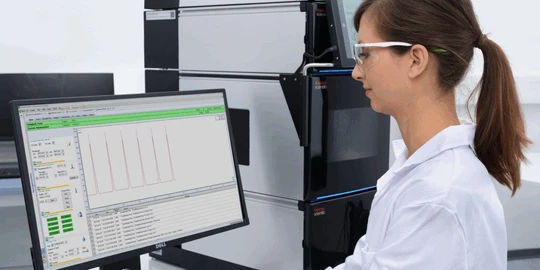
Elevate Your HPLC Performance with a Modern CDS
Discover how a modern Chromatography Data System can unlock the full potential of your HPLC. Chromeleon CDS boosts productivity, compliance, and right-first-time results across multi-vendor systems.
Tu, 10.2.2026
Thermo Fisher Scientific
Article | Video
How to manage multisignal chromatogram(s) in Clarity Chromatography Software
A practical guide to working with multi-signal chromatograms and overlay display in Clarity. Covers signal management, active signal handling, run comparison, and advanced graph customization.
Tu, 27.1.2026
DataApex

Article | Software
Reduce Sample Waste in the Lab Using Real-Time Data Evaluation with Automated Reactions
Reduce sample waste and prevent data loss in LC-MS analysis using real-time data evaluation with system suitability testing and intelligent run control in Chromeleon software.
Tu, 27.1.2026
Thermo Fisher Scientific

Article | Software
Generating Quantitative Methods Automatically From Spectral Library Data
Generating quantitative MS methods directly from spectral library data: Thermo Fisher Scientific demonstrates how mzCloud enables efficient method creation without extensive tuning.
Tu, 20.1.2026
Thermo Fisher Scientific


Other projects

Follow us


More information
WebinarsAbout usContact usTerms of use
LabRulez s.r.o. All rights reserved. Content available under a CC BY-SA 4.0 Attribution-ShareAlike