In modern laboratories, chromatography techniques and the use of mass spectrometry (MS) detection are in high demand. Until recently, MS detectors were regarded as sophisticated detection tools that could be operated only by a highly trained specialist. Nowadays mass spectrometers are increasingly used as straightforward detectors for chromatography.
Alongside this move into routine use of MS is the continued deskilling of staff in the laboratory world, causing highly experienced chromatographers to be in short supply. The result is a substantial number of regular scientists and process operators that need to generate chromatographic results using advanced instrumentation themselves.
The solution is an Open Access tool enabling users to simply walk up and use a very straightforward interface to exploit the full power of the chromatography data system (CDS), without actually using the CDS software itself. Thermo Scientific™ Chromeleon™ XPS provides this streamlined and easy-to-use interface for Thermo Scientific™ Chromeleon™ CDS, while maintaining full capabilities of the CDS software, like instrument control, data processing, reporting and compliance tools.
Workflow
Users can walk up to any chromatography instrument connected to the CDS, with or without MS detection, and start to run their analysis with only a few mouse-clicks.
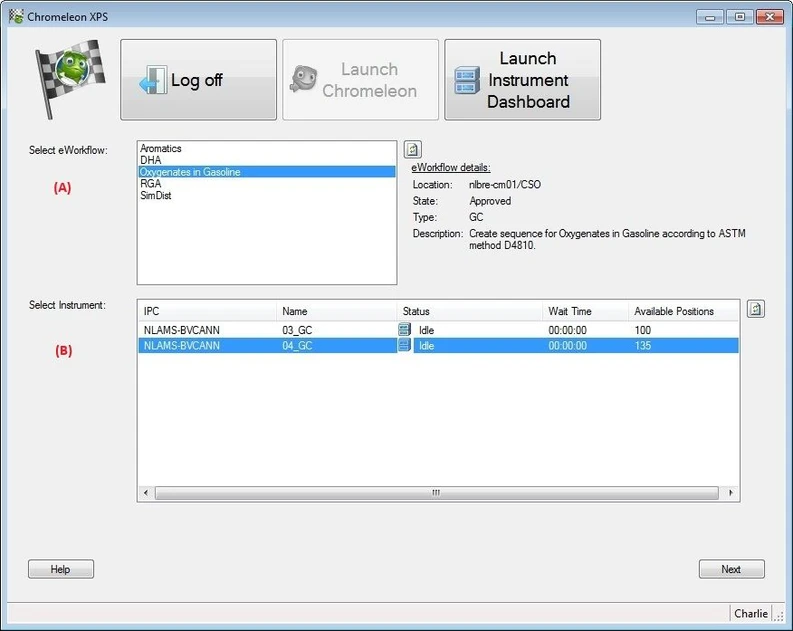 Thermo Scientific™ Chromeleon™ XPS Open Access Software: First, select the analysis to perform (A) and which instrument should be used (B). The instrument overview shows the current instrument status’ and displays the estimated wait time until each instrument is available and the number of sample positions still available. The instrument list is filtered depending on the analysis selected and the users privileges to only show appropriate instruments.
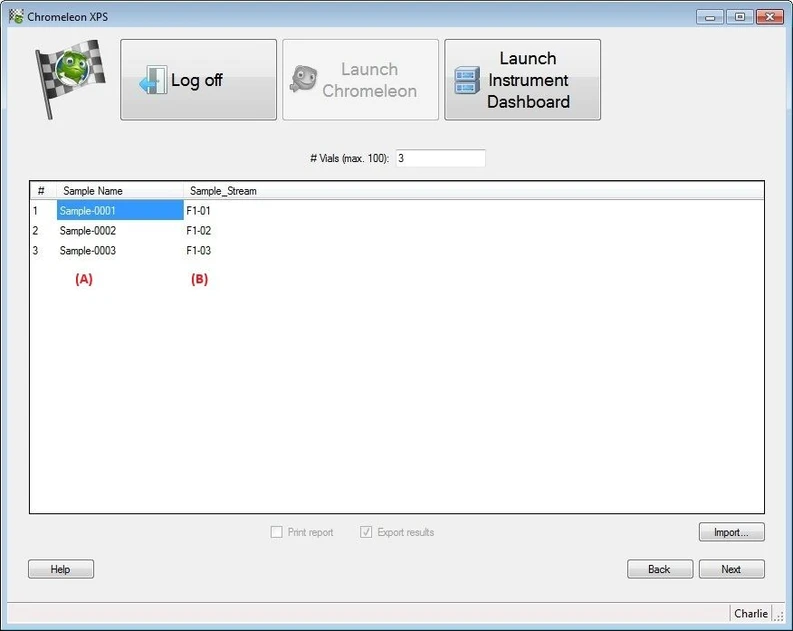 Thermo Scientific™ Chromeleon™ XPS Open Access Software: Next, enter the sample names (C) and any other parameters (D) required for the analysis.
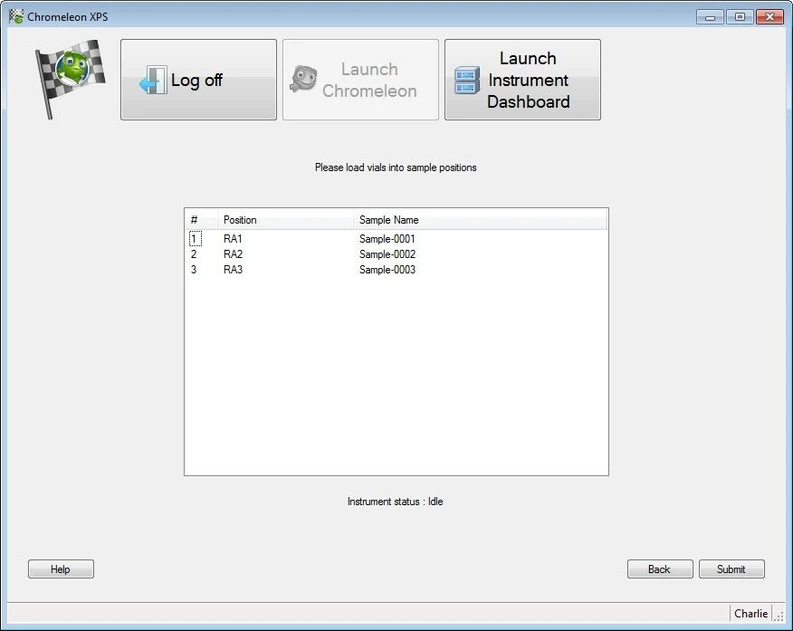 Thermo Scientific™ Chromeleon™ XPS Open Access Software: Place the sample vials in the indicated positions and select Submit.
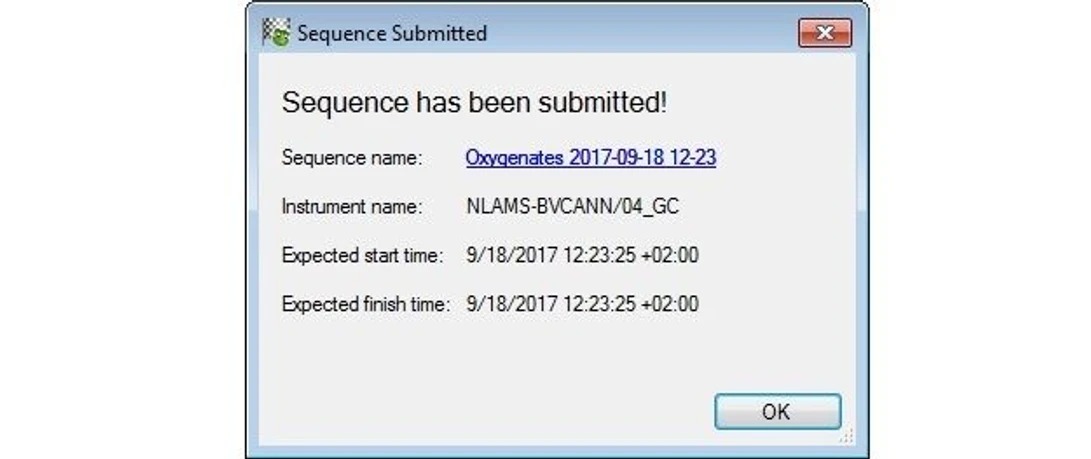 Thermo Scientific™ Chromeleon™ XPS Open Access Software: The sequence is submitted and will run. The operator is shown the expected start and finish time of the analyses.
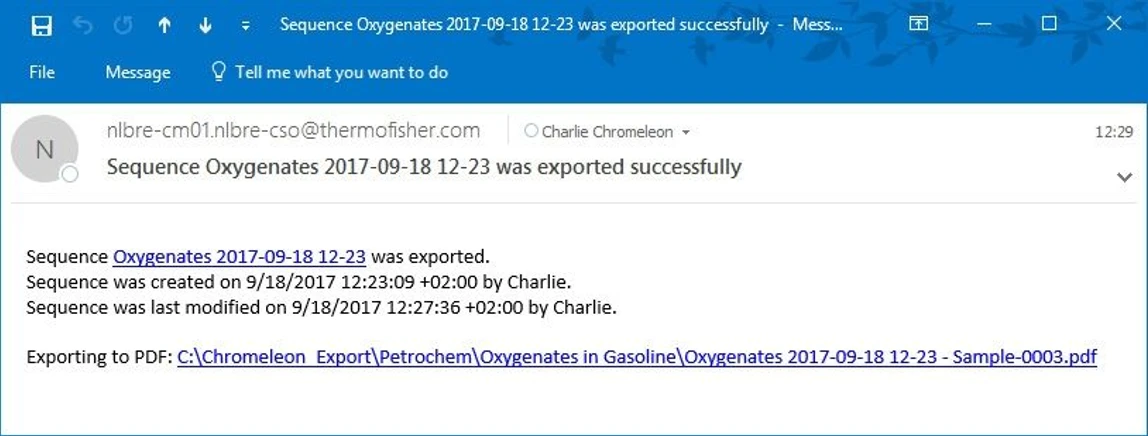 Thermo Scientific™ Chromeleon™ XPS Open Access Software: At the end of the run, the results are automatically printed and/or exported and a link to the exported report can be distributed via email.
Configuration and management
Running samples is as easy as described above once Chromeleon XPS software is set up, configured and managed by an experienced chromatographer.
- All the methods required for the analysis must be created; the instrument method with all instrument control and data acquisition parameters, the processing method with all data processing parameters and the report template with all required results, to be reported.
- A Chromeleon eWorkflow is created using these methods. An eWorkflow is an electronic procedure that automates all steps of the laboratory process related to a chromatographic analysis
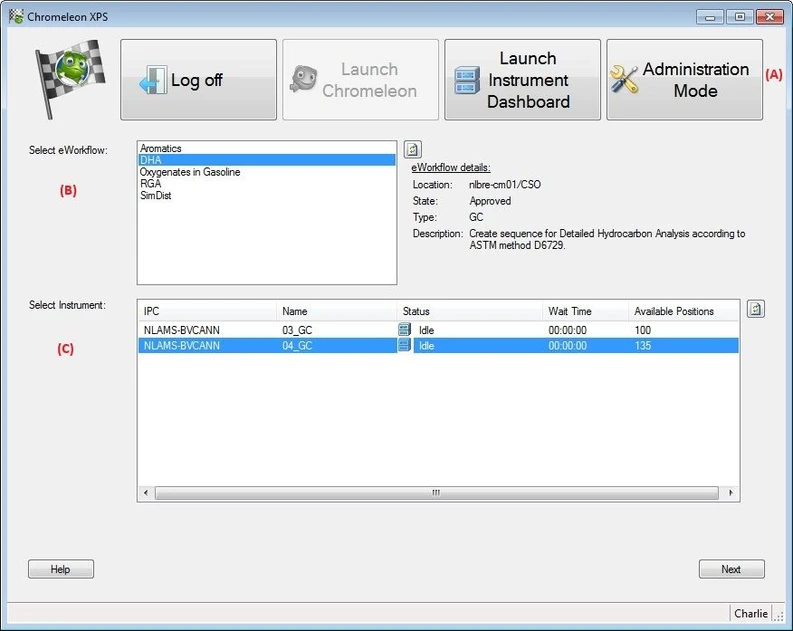 Thermo Scientific™ Chromeleon™ XPS Open Access Software: The lab manager can customize Chromeleon XPS to show or hide individual toolbar buttons (A), which eWorkflows are visible to users (B) and which instruments they can access (C).
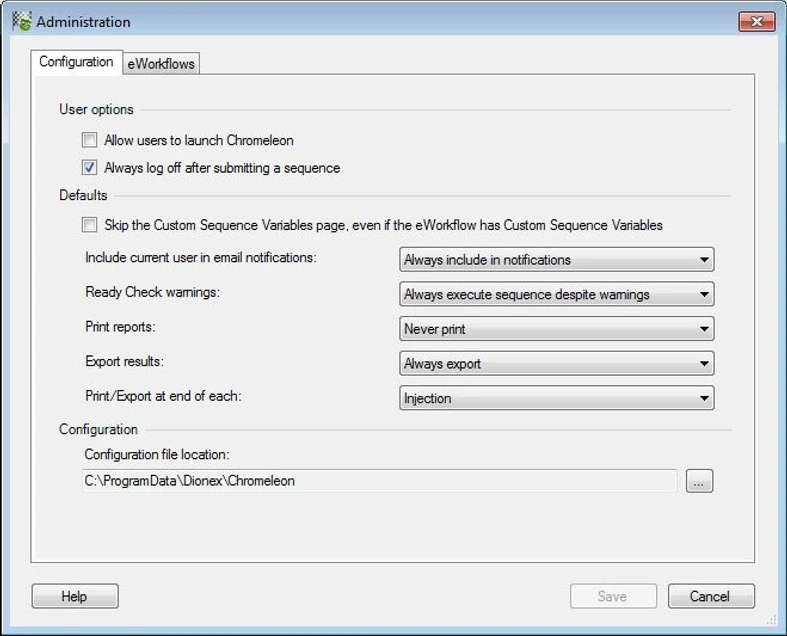 Thermo Scientific™ Chromeleon™ XPS Open Access Software: In addition, it is possible to define various system options, such as which email notifications to send.
Chromeleon XPS Open Access software lets any user run samples on their own by delivering a clean, streamlined walk-up interface that utilizes the full power of Chromeleon CDS. Users can access all instruments controlled by Chromeleon CDS, including MS, and automatically receive results or notifications about run completion or failure. The management console contains advanced customization options to fulfill any organization’s requirements, included fully regulated environments.
Chromeleon XPS software provides error-free execution of any chromatography analysis with minimal training requirements for users.



