

Data Processing Using Thermo Freestyle Software with NIST MSMS Search for Compound Identifications (NIST Search Type Demonstration)
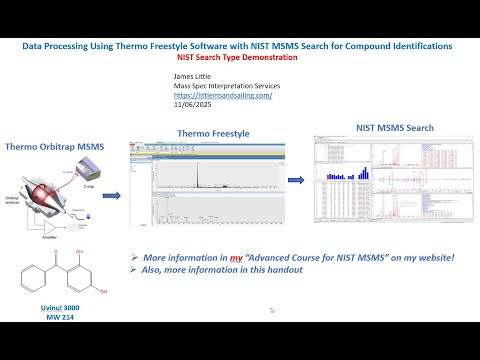
- Photo: James Little: Part 4 - Data Processing Using Thermo Freestyle Software with NIST MSMS Search for Compound Identifications (NIST Search Type Demonstration)
- Video: James Little: Part 4: NIST MSMS Search of Orbitrap Data: Different NIST MSMS Searches Demonstrated
This webinar series demonstrates the use of the Thermo Freestyle 1.8 SP2 QF1 software for processing LCMS product-ion mass spectra with the NIST 23 Mass Spectral Search Program (v.3.0). Spectra are easily exported from Freestyle to NIST Search for component identifications utilizing the NIST MSMS libraries and any other available user, crowd-sourced, and commercial MSMS libraries. Freestyle is a very convenient software package for processing data obtained with the their Orbitrap LCMS instruments. In one run both the MS1 and MS2 spectra are obtained in both positive and negative ion modes. The Diode arrary and UV channels can also be easily displayed for targeting the desired species noted in LC analyses.
Handout for whole series
- Part 1: My Favorite Processing Mode in Freestyle
- Part 1A: Using "Nearby Precursor" Enhanced Processing Mode in FreeStyle
- Part 2: Alternate Processing Modes in Freestyle
- Part 3: Setup of Basic Settings in Freestyle and NIST Search
- Part 4: Different NIST MSMS Searches Demonstrated
- Part 5: Elemental Processing within Thermo Freestyle
Part 4: Data Processing for NIST MSMS Search using Thermo Freestyle Software (NIST Search Type Demonstration)
Equipment & Software
- Thermo Orbitrap MSMS
- Thermo Freestyle Software
- NIST 2023 Tandem Library
Streamlining Data Processing for Mass Spectrometry
Mass spectrometry is a powerful tool for compound identification, but its efficiency depends largely on how data is processed and analyzed. By utilizing Thermo Freestyle Software in combination with NIST MSMS Search, researchers can enhance the accuracy and speed of their spectral identifications.
NIST MSMS Search v3.0 – Simplified and Enhanced
The NIST MSMS Search version 3.0 introduces an improved interface, making search settings more intuitive. This version allows for:
- Spectrum import flexibility – Multiple ways to import and process spectra
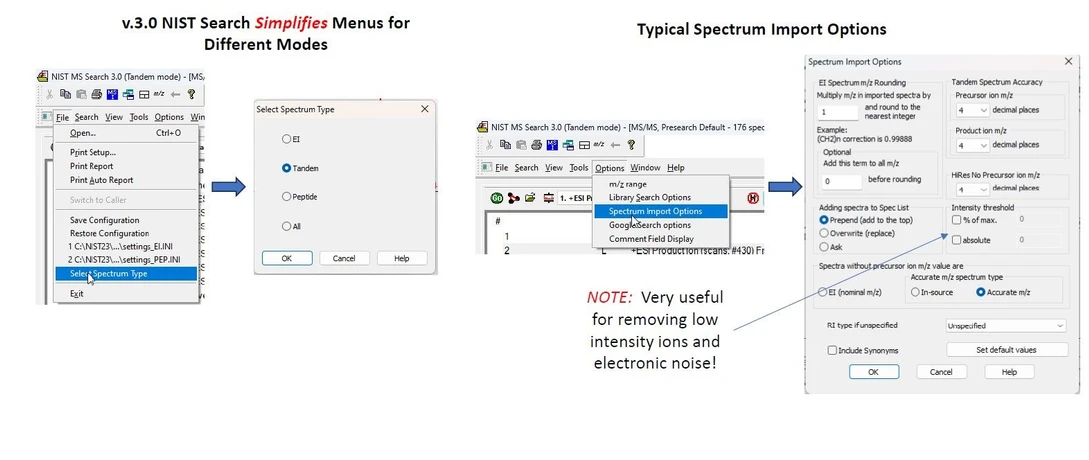 James Little: Typical Settings for NIST MS Search 3.0 (Tandem Mode)
- Various search modes
- Identity MS/MS: searches spectra restricting by the precursor ion and its specified m/z
- Identity/High Resolution: No Precursor, just compares the overall fit of unknown spectra to reference spectra
- Similarity/Hybrid MS/MS - very useful if a related compound is present in the reference libraries, but the actual compound is not present
 James Little: Library Search Options for NIST MS Search 3.0 (Tandem Mode)
- Advanced filtering options – Remove low-intensity ions and electronic noise
- Customizable settings – Users can save configurations for future searches
Configuring Search Settings for Optimal Performance
To get the most accurate results, users should:
- Select the appropriate MSMS libraries – NIST 2023 includes essential databases.
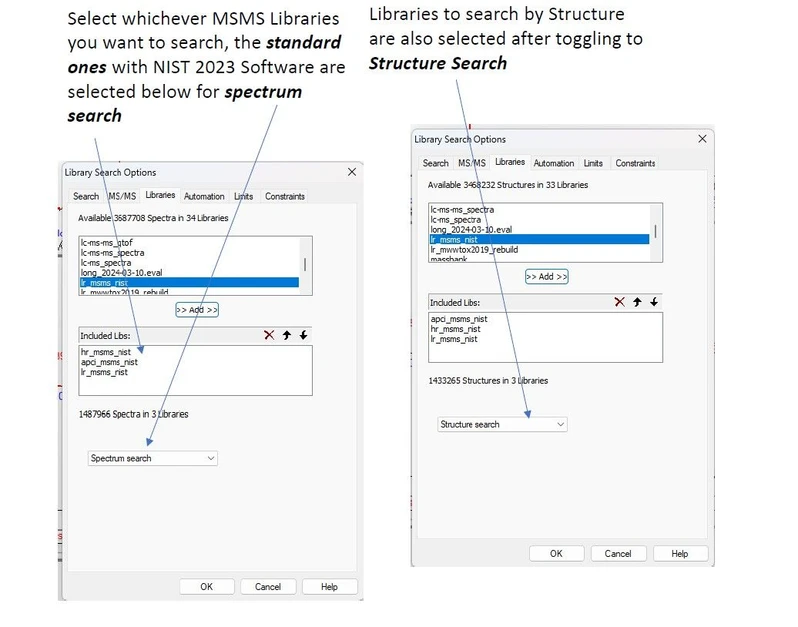 James Little: Select the appropriate MSMS libraries
- Adjust precursor m/z tolerance – Ensure compatibility with your mass spectrometer.
- Use the “Best Matching” option – Simplifies results by filtering only the best spectrum using the CAS Number as a filter
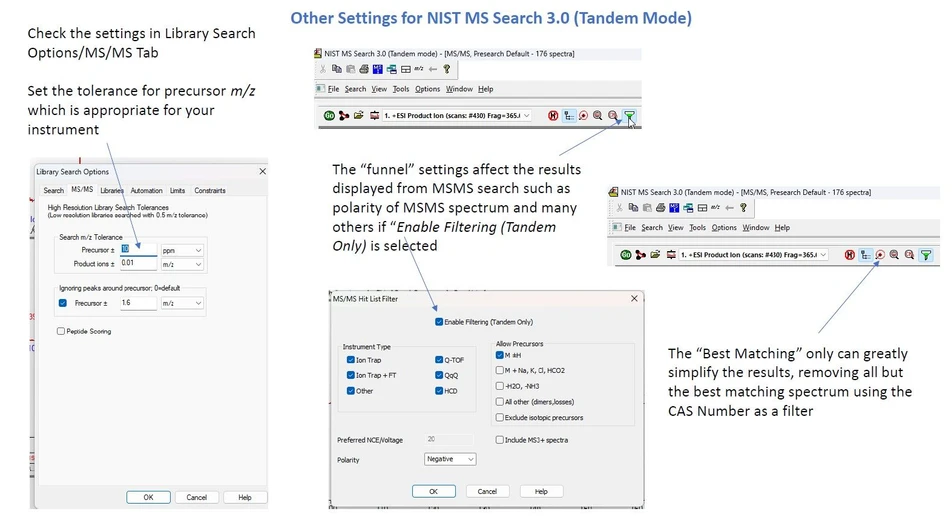 James Little: Other Settings for NIST MS Search 3.0 (Tandem Mode)
- Save search configurations – Avoid resetting parameters for each new session.
⚠️ Important! Save your settings for future searches using the Save Configuration option, and restore them when needed to maintain consistency in your analyses.
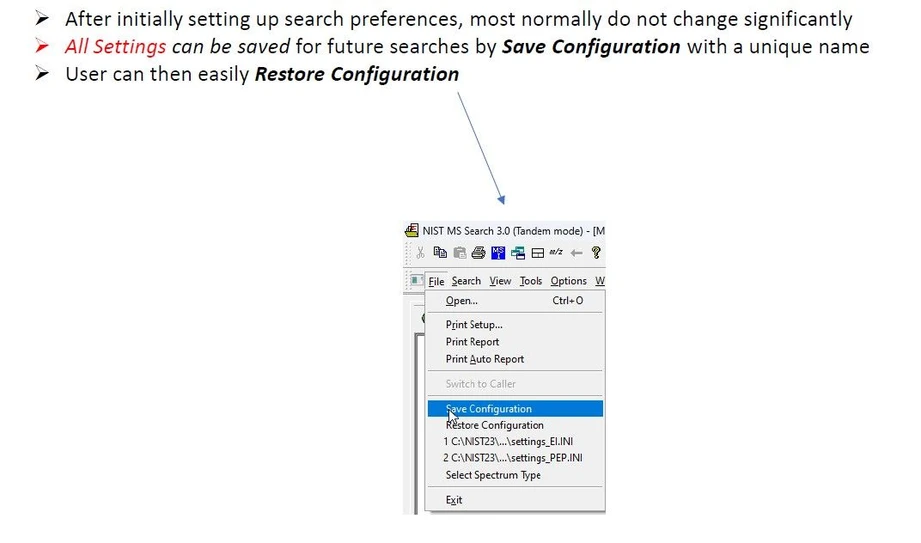 James Little: Important! Save Your Settings for Future Sessions.
Conclusion
Utilizing NIST MSMS Search v3.0 within Thermo Freestyle Software allows for a faster, more accurate, and customizable approach to compound identification. By selecting the appropriate search type and optimizing settings, researchers can enhance the reliability of their mass spectrometry workflows.


