

Data Processing Using Thermo Freestyle Software with NIST MSMS Search for Compound Identifications (Setting Up NIST Search and Freestyle Parameters)
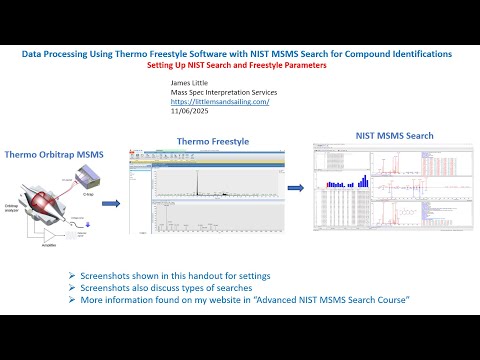
- Photo: James Little: Part 3: Data Processing Using Thermo Freestyle Software with NIST MSMS Search for Compound Identifications (Setting Up NIST Search and Freestyle Parameters)
- Video: James Little: Part 3: NIST MSMS Search of Orbitrap Data: Setup of Basic Settings in Freestyle and NIST Search
This webinar series demonstrates the use of the Thermo Freestyle 1.8 SP2 QF1 software for processing LCMS product-ion mass spectra with the NIST 23 Mass Spectral Search Program (v.3.0). Spectra are easily exported from Freestyle to NIST Search for component identifications utilizing the NIST MSMS libraries and any other available user, crowd-sourced, and commercial MSMS libraries. Freestyle is a very convenient software package for processing data obtained with the their Orbitrap LCMS instruments. In one run both the MS1 and MS2 spectra are obtained in both positive and negative ion modes. The Diode arrary and UV channels can also be easily displayed for targeting the desired species noted in LC analyses.
Content of previous episodes:
- Part 1: My Favorite Processing Mode in Freestyle
- Part 1A: Using "Nearby Precursor" Enhanced Processing Mode in FreeStyle
- Part 2: Alternate Processing Modes in Freestyle
- Part 3: Setup of Basic Settings in Freestyle and NIST Search
- Part 4: Different NIST MSMS Searches Demonstrated
- Part 5: Elemental Processing within Thermo Freestyle
Part 3: Data Processing Using Thermo Freestyle Software with NIST MSMS Search for Compound Identifications (Setting Up NIST Search and Freestyle Parameters)
Equipment & Software
- Thermo Orbitrap MSMS
- Thermo Freestyle Software
- NIST MSMS Search
This guide outlines how to process MS/MS data using Thermo Freestyle software and the NIST MSMS Search tool to identify compounds accurately. It provides step-by-step setup instructions, tips on configuring search parameters, and strategies for improving mass accuracy and interpretation results.
Getting Started with Freestyle and NIST
1. Initial Setup
- Open your data file in Freestyle.
- Display an MS2 spectrum (positive or negative mode).
- Activate the MS2 window by clicking its title bar.
- Click the Library Search icon to initiate the internal NIST search.
2. Key Settings in Freestyle
- Under the Library Search icon, select NIST Search.
- Change mode to MS/MS, click Make Default, then Apply.
- This ensures m/z values export with four decimal places.
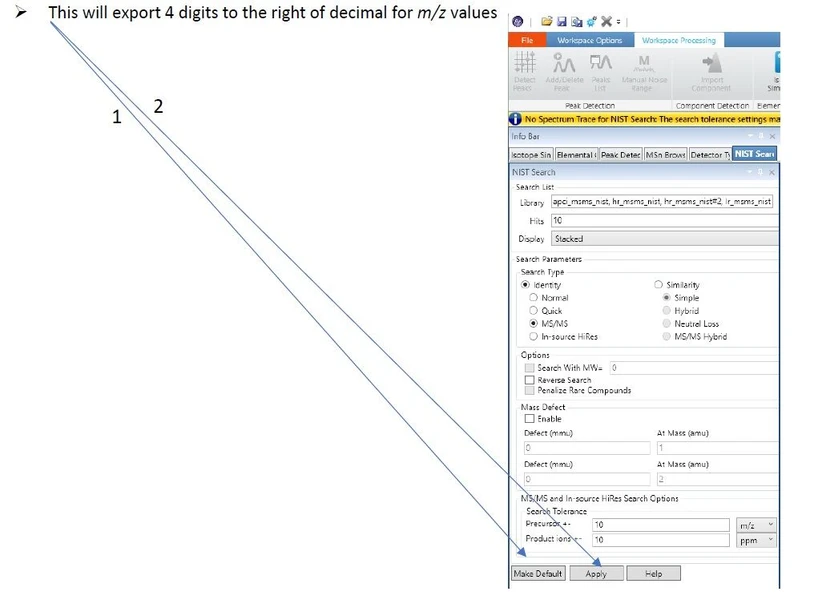 James Little: Part 3 - Key Settings in Freestyle
Exporting to NIST MSMS Search
- Click the Export to NIST button with an active MS2 spectrum.
- In the external NIST MSMS Search, configure import options:
- Ensure Accurate m/z is selected.
- Confirm 4 decimal places for precursor and product ions.
- Use the Switch to Caller icon to return to Freestyle.
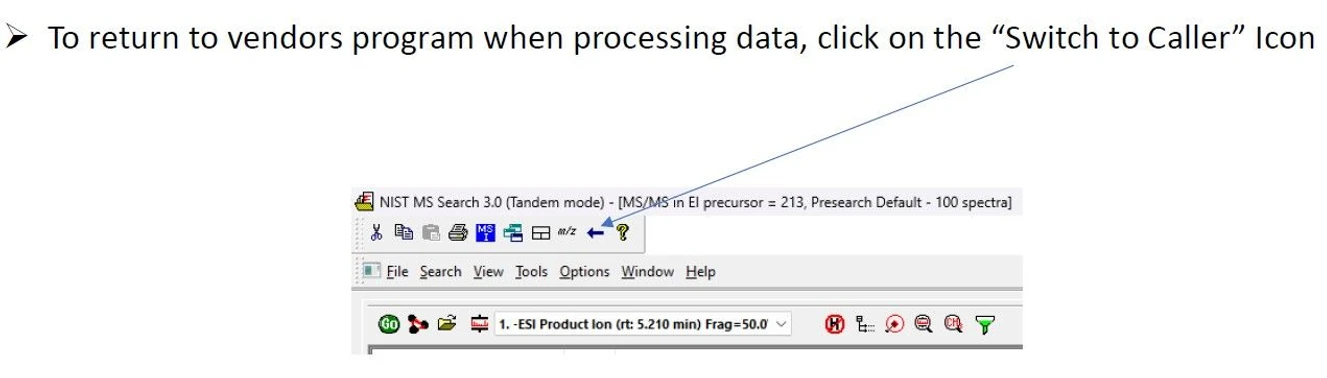 James Little: Part 3 - Switch to Caller icon.
Using NIST MSMS Search 3.0 (Tandem Mode)
Quick Setup
- Use provided Quick Start Guide for NIST 2023.
- Adjust menus depending on your data and search goals.
Spectrum Import Options
- Filter out low-intensity ions and electronic noise.
- Configure options under Library Search Options > MS/MS Tab.
 James Little: Part 3 - Typical Settings for NIST MS Search 3.0 (Tandem Mode)
Search Modes
- Identity MS/MS: Restricts search by precursor m/z.
- Identity/High Resolution: Ignores precursor m/z for broader matching.
- Similarity/Hybrid MS/MS: Finds similar spectra, even if exact match isn't in the library.
Note: Negative ion hybrid searches may show offset mass values due to improper adjustment between M+H and M−H.
Filtering and Simplifying Results
- Use the Enable Filtering (Tandem Only) option.
- Deselect Include MS3+ Spectra to avoid complex MS3+ data in hit lists.
- Use Best Matching Only to simplify by removing duplicates with the same CAS number.
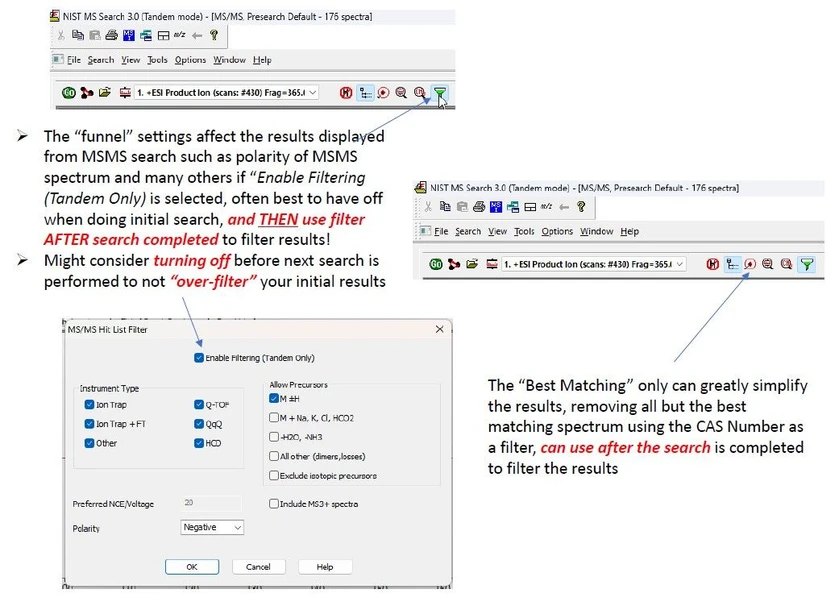 James Little: Part 3 - Other Settings for NIST MS Search 3.0 (Tandem Mode)
Save Your Settings
Once satisfied with your configuration:
- Save your settings via Save Configuration.
- Use Restore Configuration to reload them in future sessions.
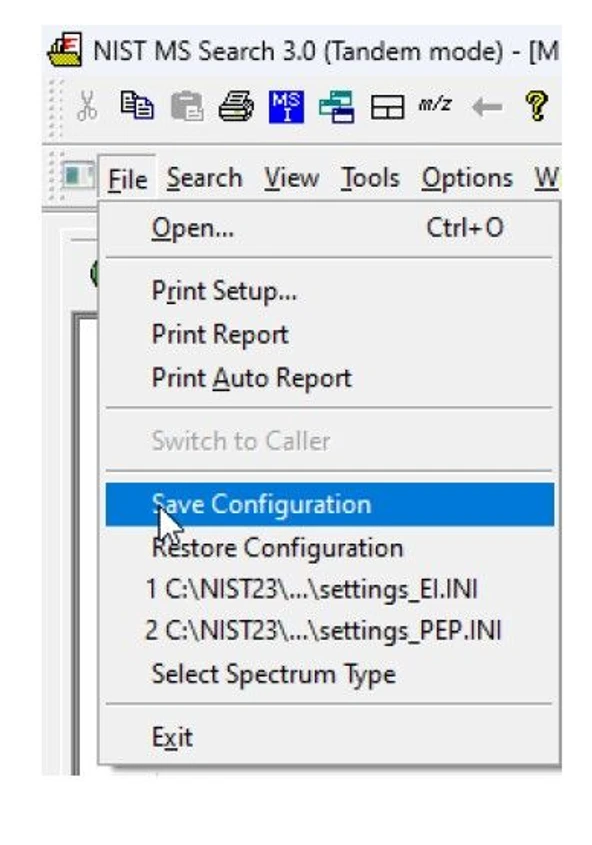 James Little: Part 3 - Save Your Settings for Future Sessions
Special Notes from NIST 20 Tandem Library Users Guide
- NIST offers multiple libraries (HR, LR, APCI, peptide-focused).
- Fragment ion tolerance for low-resolution spectra is fixed at ±0.5 m/z.
- Recommended:
- Set product ion tolerance to 0.01 m/z.
- Ignore peaks around precursor (20 ppm).
- Avoid peptide scoring unless using peptide libraries.
- Use Constraints, Limits, and Hit List Filters to refine searches.
Display Tips
Customize hit list display:
- Add columns: Prec. Type, Instr. Type, Energy, and DeltaMass.
- Access display options via right-click on hit list → Properties.


