

Data Processing Using Thermo Freestyle Software with NIST MSMS Search for Compound Identifications (Alternative "Less Efficient" Approaches)
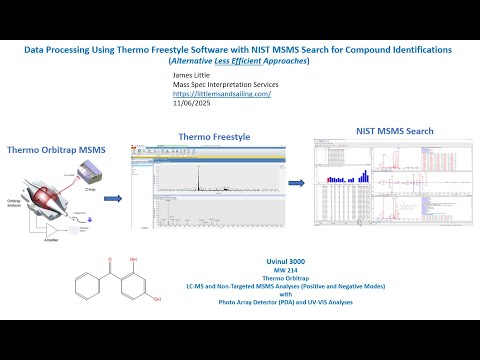
- Photo: James Little: Part 2 - Data Processing Using Thermo Freestyle Software with NIST MSMS Search for Compound Identifications (Alternative Less Efficient Approaches)
- Video: James Little: Part 2: NIST MSMS Search of Orbitrap Data: Alternate Processing Modes in Freestyle
This webinar series demonstrates the use of the Thermo Freestyle 1.8 SP2 QF1 software for processing LCMS product-ion mass spectra with the NIST 23 Mass Spectral Search Program (v.3.0). Spectra are easily exported from Freestyle to NIST Search for component identifications utilizing the NIST MSMS libraries and any other available user, crowd-sourced, and commercial MSMS libraries. Freestyle is a very convenient software package for processing data obtained with the their Orbitrap LCMS instruments. In one run both the MS1 and MS2 spectra are obtained in both positive and negative ion modes. The Diode arrary and UV channels can also be easily displayed for targeting the desired species noted in LC analyses.
Content of previous episodes:
- Part 1: My Favorite Processing Mode in Freestyle
- Part 1A: Using "Nearby Precursor" Enhanced Processing Mode in FreeStyle
- Part 2: Alternate Processing Modes in Freestyle
- Part 3: Setup of Basic Settings in Freestyle and NIST Search
- Part 4: Different NIST MSMS Searches Demonstrated
- Part 5: Elemental Processing within Thermo Freestyle
Part 2: Data Processing Using Thermo Freestyle Software with NIST MSMS Search for Compound Identifications (Alternative "Less Efficient" Approaches)
Equipment & Software
- Thermo Orbitrap MSMS
- Thermo Freestyle Software
- NIST MSMS Search
Efficient Compound Identification Using Thermo Orbitrap MSMS
In this technical guide, James Little outlines methods for processing mass spectrometry data using Thermo Freestyle Software in combination with NIST MSMS Search. The focus is on interpreting data collected from Thermo Orbitrap LC-MS systems operating in both positive and negative ionization modes, supported by Photo Diode Array (PDA) and UV-VIS detection.
Preferred Data Processing Workflow
While there are multiple approaches available in Freestyle, the guide emphasizes a preferred method shared by a colleague — a workflow found to be more efficient once initial setup is completed.
Key Steps:
- Open the data file to view the Total Ion Chromatogram (TIC).
- Left-click to select a peak, then use keyboard arrow keys to “walk through” the chromatographic peak.
- Refer to the header in the lower spectrum display to check polarity and MS1/MS2 status.
- Send the desired MS2 spectrum to NIST MSMS Search for compound identification.
 James Little: Windows Arrow Key Approach Using Total Ion Chromatogram, NOT Parsed into Separate Ones
This arrow-key approach leverages the TIC directly without separating it into multiple parsed chromatograms.
Alternate Manual Workflow
If not using the keyboard-based approach, a more manual method involves:
- Clicking the Scan Filters Icon in the Freestyle Workspace > Processing Tab.
- Selecting from the MS1 positive and negative ion lists at the bottom.
- Inserting traces (e.g., PDA or UV) via the Insert Trace option.
- Accessing the PDA/UV traces through the Detector Tab.
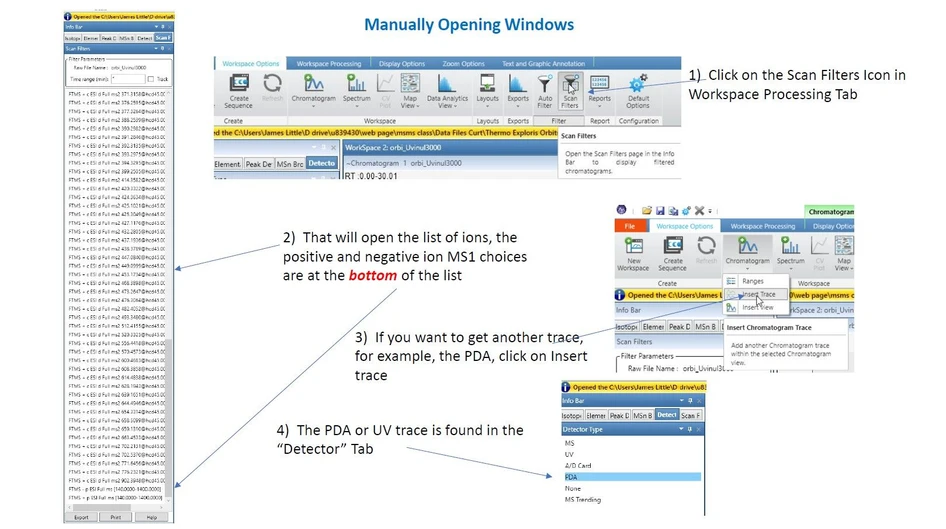 James Little: Manually Opening Windows
Compound Example: Uvinul 3000
- Molecular Weight: 214
- Demonstrated using Thermo Orbitrap with both LC-MS and non-targeted MSMS Analyses (Positive and Negative Modes) with Photo Array Detector (PDA) and UV-VIS Analyses
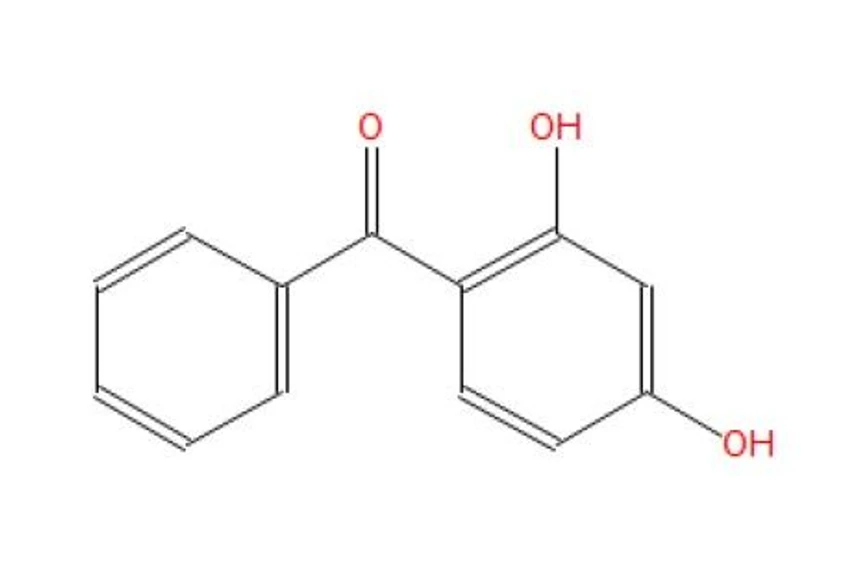 James Little: Uvinul 3000


