A unique company dedicated to serving science helping our customers drive productivity and accelerate results. Through our premier brands – Thermo Scientific, Applied Biosystems, Invitrogen, Fisher Scientific and Unity Lab Services.
Distributor
Thermo Fisher Scientific (EMEA)
Thermo Fisher Scientific Inc. is the world leader in serving science, with annual revenue of approximately $40 billion. Our Mission is to enable our customers to make the world healthier, cleaner and safer.
Thermo Scientific Xcalibur SoftwareConfidently control, acquire, and interrogate data from a range of Thermo Scientific LC-MS systems and related instruments using Thermo Scientific Xcalibur software.
Features
Thermo Scientific Xcalibur Software
Acquire high-quality data, regardless of your mass spectrometry platform
Confidently control, acquire, and interrogate data from a range of Thermo Scientific LC-MS systems and related instruments using Thermo Scientific Xcalibur software.
With simple method set-up, data acquisition, in-depth data interrogation and reporting tools as well as seamless integration to a range of additional Thermo Scientific application-specific software and cloud-based tools, Xcalibur software serves as the powerful, yet easy-to-use platform for your LC-MS analyses.
Key benefits of Xcalibur data acquisition software
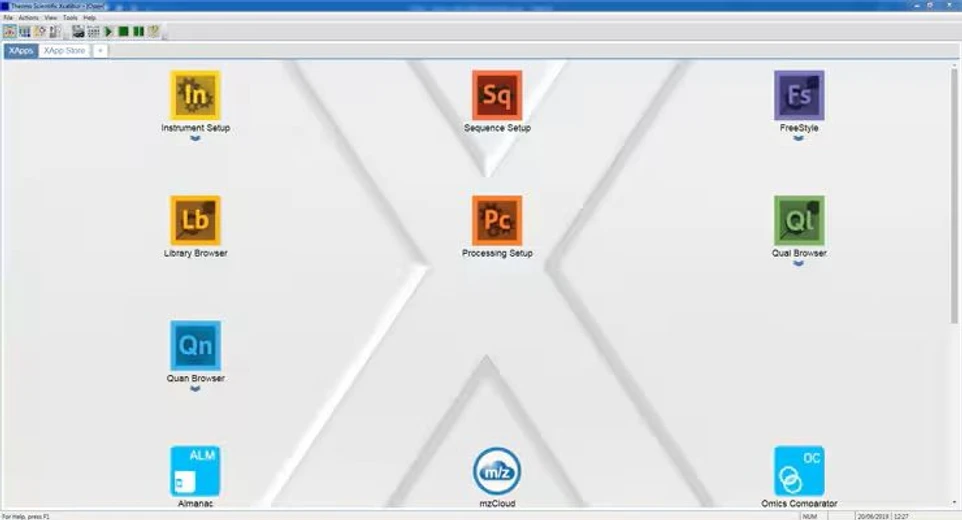
Comprehensive toolset and landing page for all your installed applications
With a homepage that conveniently hosts all your installed applications and provides easy access to instrument control, method development, data acquisition, and reviewing, Xcalibur software makes it quick and easy to navigate through your workflows.
Ad-hoc data reviewing and quantitative capabilities
When you need to interrogate your data—from elemental compositions, plotting chromatograms, spectral views, performing library searches and much more—or perform basic quantitation, the FreeStyle and Quan Browser applications included with the Xcalibur software allow you to gain insights into your data.
Integration with cloud-based tools for productivity
The landing page for the Xcalibur software not only serves as the configurable portal to your applications, you can also receive application update information, ensuring that you have the latest version of software. Additionally, cloud-based applications allow you to remotely monitor your systems and drive productivity.
About Xcalibur data acquisition software
The customizable landing page (or Roadmap View) enables easy access to all your installed applications, from those included with Xcalibur software to your application-specific software packages.
Not only can you receive notification when there is a new version of any installed application, you can also access the XApp Store for more information on the latest applications and try many of them for free for 60 days.
A host of cloud-based applications are available from the Roadmap View, including Almanac, which allows for web- or smartphone-based monitoring of your MS.
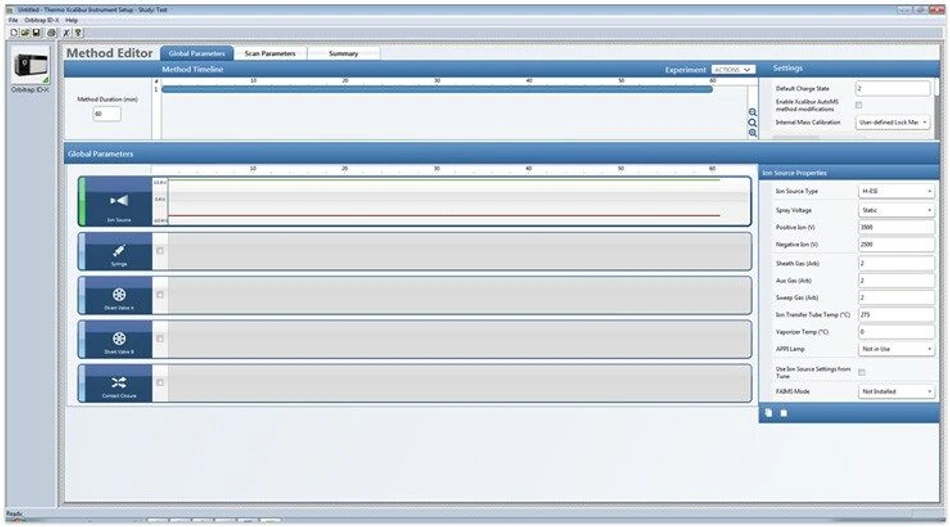
Regardless of the experimental design, it should be easy to set-up your mass spectrometer to acquire high-quality data. The Method Editor allows you to quickly and simply create acquisition methods that control the necessary parameters and drive your acquisition requirements.
For the latest generation of mass spectrometers, there are numerous pre-configured method templates arranged by application area. These methods allow users of any experience level to acquire data relevant to their questions. Alternatively, the templates can be used as a starting point to facilitate rapid method development. Each method covers all instrument parameters as well as those for data acquisition, reducing complexity of set up.
Thermo Scientific™ Xcalibur™ Software.
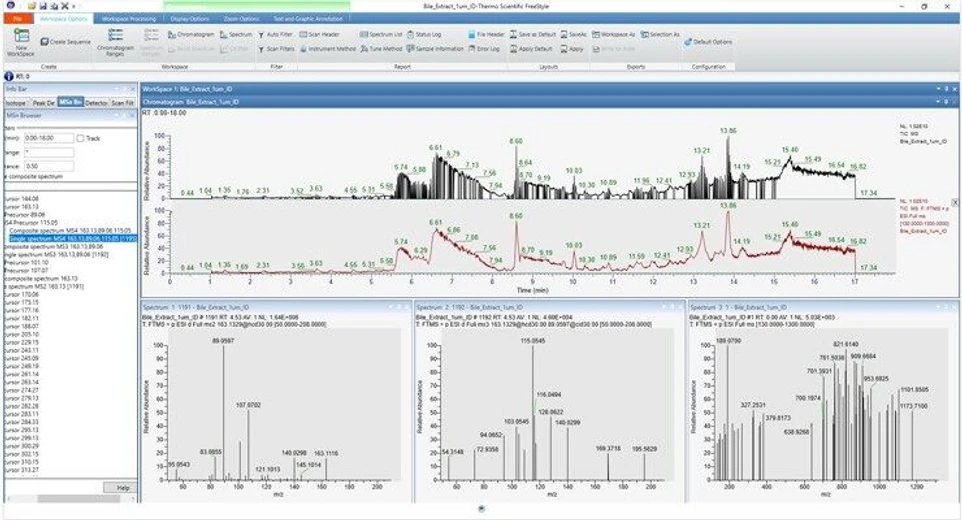
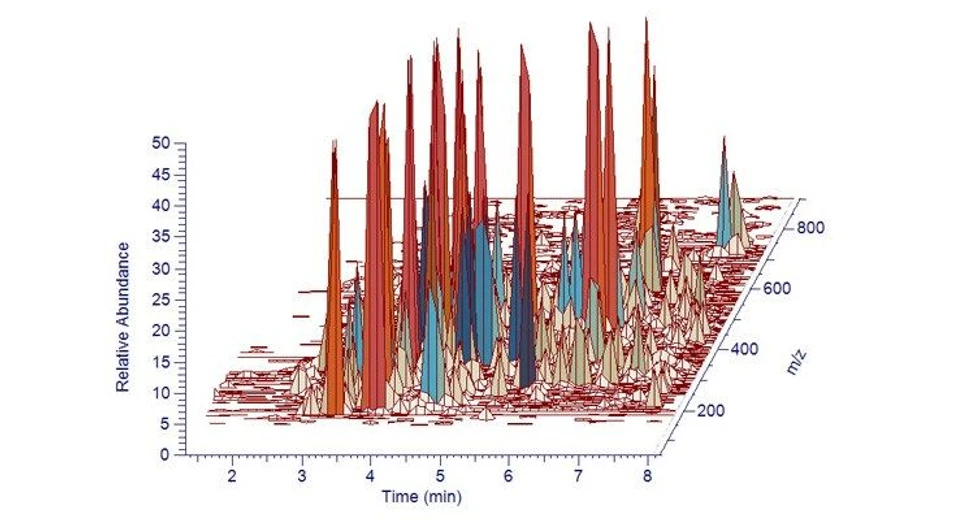
Modern visualization tools allow you to rapidly answer questions as you qualitatively interrogate your data.
The FreeStyle application,provided with the Xcalibur software, allows you to interact with your data from simple chromatographic detection and integration to spectral library searching, spectral deconvolution or diagnostic plots.
Thermo Scientific™ Xcalibur™ Software.
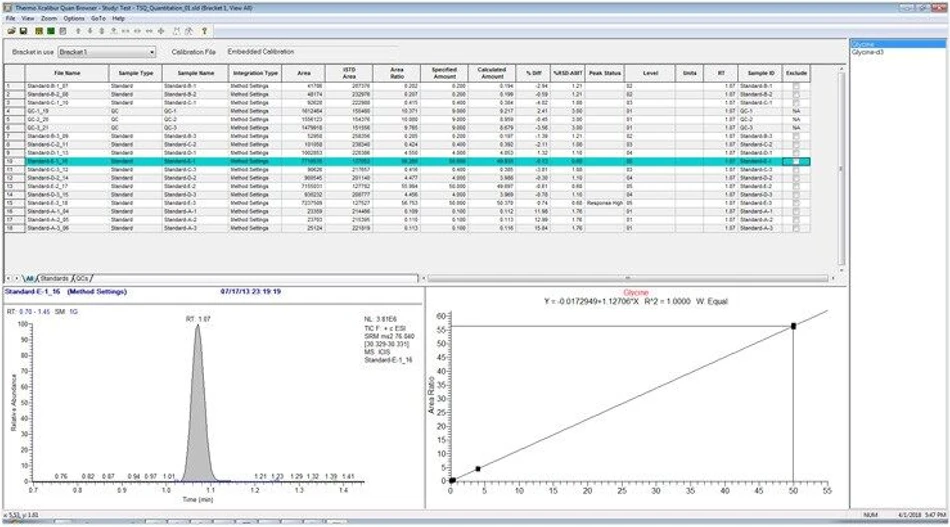
For rapid quantitation of a small number of targets, Quan Browser, included with the Xcalibur software, allows you to quickly identify component peaks, determine integration criteria, and visualize calibration curves, integrations, and results.
Xcalibur software allows you to interactively edit processing parameters, report data and rapidly access your quantitative information while processing your quantitation sequences.
Thermo Scientific™ Xcalibur™ Software.
FreeStyle data review application for Xcalibur software
For the qualitative analysis of any mass spectral data (.raw or .sld) in a highly visual environment, FreeStyle allows you to display chromatograms and spectra, detect and integrate chromatographic peaks, search mass spectral libraries, simulate mass spectra, subtract background spectra, apply scan filters, annotate plots with text and graphics, create and save layouts, and view the status of various instrument parameters during data acquisition.
Thermo Scientific™ Xcalibur™ Software: FreeStyle data review application for Xcalibur software.
With a familiar interface, the tools needed to access the information stored in your data are readily accessible. HRAM data intelligence means that data is displayed according to the mass accuracy of the MS system used to acquire it.
When it comes to visualizing your data, make use of unlimited plots, quick creation of plots from spectra, spectral annotation with structures, text and graphics, trending/diagnostic plots for status parameters, and scan header entries; float/dock/hide multiple windows and split across monitors to really get the most out of your data.
Thermo Scientific™ Xcalibur™ Software: FreeStyle data review application for Xcalibur software.
Create and customize highly visual map views of complex datasets, with simple modification of any plots and data views. Then use those views to generate your own visual reports, enhancing your insights.
Thermo Scientific™ Xcalibur™ Software.
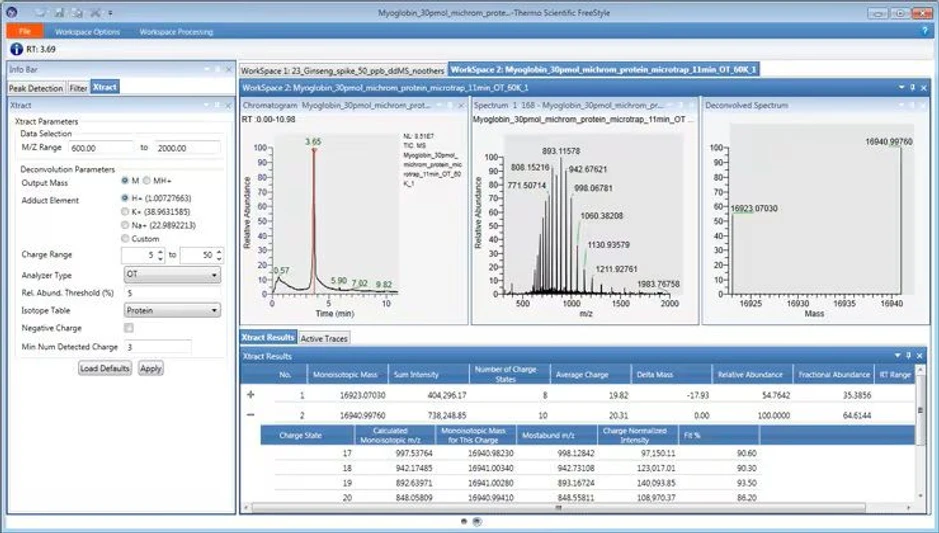
High-resolution protein mass spectral data can be deconvoluted using the Xtract deconvolution algorithm, contained in the Thermo Scientific BioPharma Finder software to obtain the intact mass and a single, deconvoluted mass spectrum for the protein components within the charge state envelope.
Thermo Scientific™ Xcalibur™ Software.
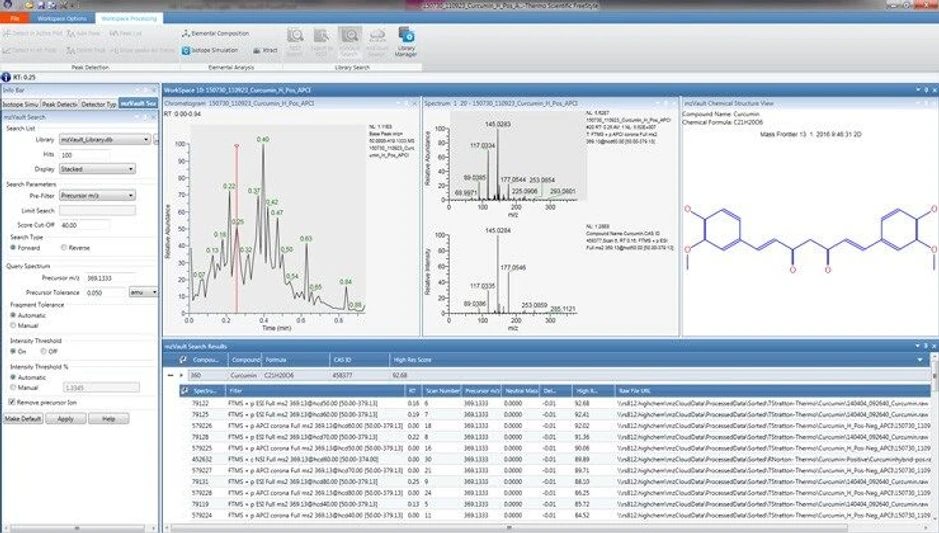
Discovering what is in your data doesn’t need to be challenging. The ability to search the mzCloud mass spectral library,mzVault, or NIST with a single-click means that compound identification from MS and MS2 data is quick and easy. You can also export spectral data to the NIST application.
Elemental compositions can be calculated using MS and MS2 data, with isotopic simulations for added confidence.
Quan Browser application for Xcalibur software
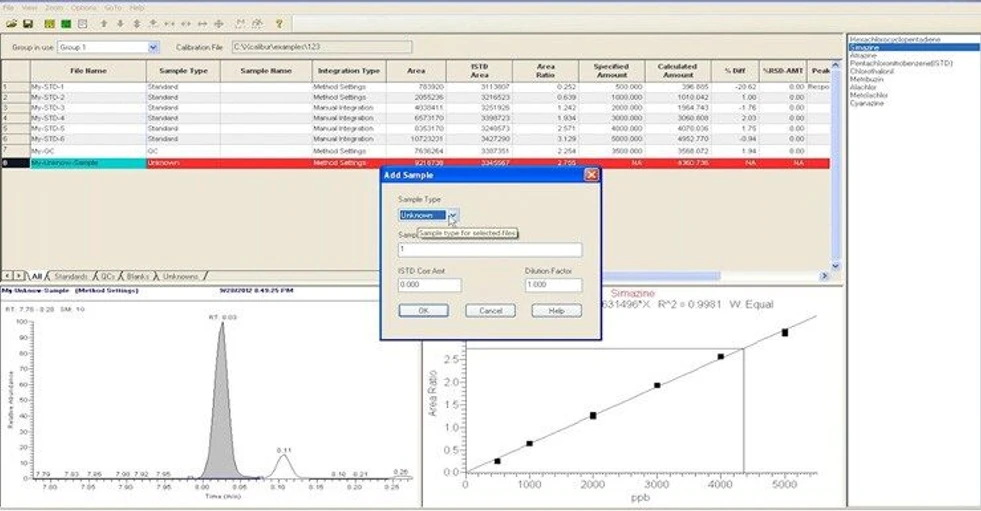
When you require a quick answer, the Quan Browser, included in the Xcalibur software, allows you to determine the concentration of analytes within your sample set when there is a small number of targets.
Thermo Scientific™ Xcalibur™ Software: Quan Browser application for Xcalibur software.
You can review or rework your component peak identifications and integration criteria, calibration curves for your quantitation standards, your standards, QC samples, blanks and unknowns with interactive editing of processing parameters.
Thermo Scientific™ Xcalibur™ Software: Quan Browser application for Xcalibur software.
The Quan Browser, included in the Xcalibur software, incorporates a results view where you can observe the data used to create calibration curves and peak integrations. Quantitation sequences, including bracketed sequences, can be processed, and any processing parameters interactively edited with the results are dynamically updated.
A unique company dedicated to serving science helping our customers drive productivity and accelerate results. Through our premier brands – Thermo Scientific, Applied Biosystems, Invitrogen, Fisher Scientific and Unity Lab Services.
Distributor
Thermo Fisher Scientific (EMEA)
Thermo Fisher Scientific Inc. is the world leader in serving science, with annual revenue of approximately $40 billion. Our Mission is to enable our customers to make the world healthier, cleaner and safer.
This week we bring you application notes by Agilent Technologies, KNAUER and Shimadzu, brochure by Thermo Fisher Scientific and poster by Waters Corporation!
LabRulez
Article | Application
News from LabRulezLCMS Library - Week 09, 2026
This week we bring you application notes by Agilent Technologies, KNAUER, Shimadzu and Waters Corporation and poster by Thermo Fisher Scientific / MSACL!